
[Published: September 19, 2026 | Last updated: September 19, 2026] | 4 min read
TL;DR
- Yes, you can close a laptop with a silicone keyboard cover on, but it can cause screen imprints, overheating, and hinge strain over time.
- Silicone covers under 0.2mm thick are generally safe for closing; thicker or rigid covers are not.
- The main risk is pressure marks on the display from the raised cover pressing against the screen.
- Most laptop manufacturers, including Apple and Dell, do not recommend closing the lid with any keyboard cover installed.
- If you must close the lid often, choose an ultra-thin cover and add a microfiber cloth between the screen and keyboard.
What Happens When You Close a Laptop With a Keyboard Cover On?
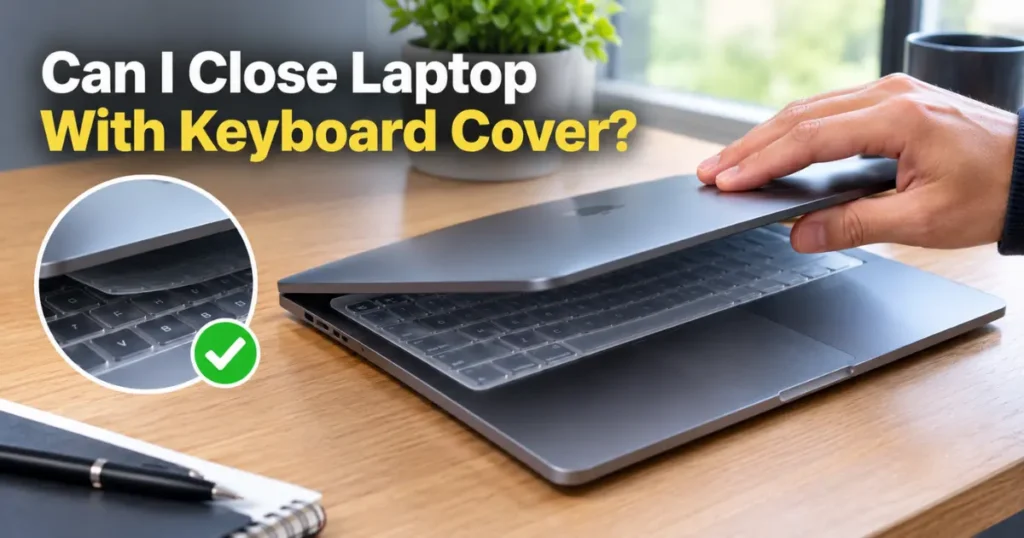
Closing a laptop with a keyboard cover on presses the raised silicone against the screen every time the lid shuts. Over weeks or months, this repeated pressure can leave faint checkerboard imprints on the display.
The severity depends on three things: cover thickness, how often you close the lid, and how much force you use. A 0.13mm ultra-thin cover closed gently causes far less risk than a thick 0.4mm cover slammed shut daily.
Most modern laptops have very little clearance between the keyboard and screen when closed. Adding even a thin layer of material removes that buffer.
Does a Keyboard Cover Cause Screen Damage?
A keyboard cover can cause screen damage, but it’s usually cosmetic rather than functional. The imprints are pressure marks on the display coating, not cracks or dead pixels.
These marks often fade within a few hours to a few days once pressure is removed. However, on OLED and some high-resolution LCD panels, prolonged pressure can cause permanent discoloration (Apple Support, 2025).
The risk increases significantly with:
- Thick or textured keyboard covers (above 0.2mm)
- Carrying the laptop in a bag with extra items pressing on the lid
- Closing the lid while something (a pen, dust, debris) sits on the keyboard
Does It Cause Overheating or Hinge Problems?
A keyboard cover does not cause overheating when the laptop is closed, since most laptops sleep or shut down when the lid shuts. The overheating risk applies mainly to using the cover while the laptop is open and running, where it can trap heat around the keys.
Hinge strain is a separate concern. A thicker cover forces the hinge to close against more resistance, which can loosen hinge tension over hundreds of open-close cycles (iFixit, 2024).
This wear is gradual. A single thick cover used for a year won’t break your hinge, but it can shorten its expected lifespan compared to closing the lid bare.
How Thick Is Too Thick for Closing the Lid?
A keyboard cover thicker than 0.2mm is generally considered risky for regular lid closing. Ultra-thin covers, often labeled 0.1mm to 0.15mm, are designed specifically to be low-profile enough for daily closing.
| Cover Thickness | Safe to Close Lid? | Typical Use Case |
|---|---|---|
| 0.1mm–0.15mm (ultra-thin) | Yes, with minimal risk | Daily use, frequent closing |
| 0.18mm–0.25mm (standard) | Caution advised | Occasional closing, open more often |
| 0.3mm+ (thick/textured) | Not recommended | Should be removed before closing |
Manufacturers rarely print thickness on the packaging clearly, so check the product listing or measure with calipers if you already own one.
What Do Laptop Manufacturers Say About Keyboard Covers?
Most major laptop manufacturers advise against leaving a keyboard cover on when closing the lid for extended storage or transport. Apple’s own support documentation notes that keyboard covers can interfere with the keyboard and display when closed (Apple Support, 2025).
Dell and Lenovo don’t sell official keyboard covers for this reason and generally recommend against covers that add thickness near the display’s contact points (Dell Support, 2024).
This doesn’t mean covers are unsafe for typing use. It means the specific act of closing the lid repeatedly is where the risk concentrates.
Best Practices If You Want to Close the Lid With a Cover On
Choose a cover under 0.15mm thick if closing the lid is part of your daily routine. This minimizes the pressure differential against the screen.
Keep the keyboard surface clear before closing. Crumbs, dust, or a stray cable under the cover multiply the pressure risk on one specific spot of the display.
Add a microfiber cloth or a padded sleeve when transporting the laptop in a bag. This spreads out any incidental pressure instead of concentrating it on the keyboard cover’s ridges.
Wipe down and inspect the cover monthly. A cover that’s stretched, warped, or peeling at the edges no longer sits flat, which increases the chance of uneven pressure points.
Frequently Asked Questions About Closing a Laptop With a Keyboard Cover
Can I close my laptop with a keyboard cover on?
Yes, you can close a laptop with a keyboard cover on, especially if it’s an ultra-thin silicone cover under 0.15mm. Thicker or textured covers raise the risk of screen imprints and hinge strain over time.
Will a keyboard cover damage my laptop screen?
A keyboard cover can leave temporary pressure marks on the screen from repeated closing, and in rare cases on OLED panels, the marks can become permanent (Apple Support, 2025). Most marks on standard LCD screens fade within a day.
Do keyboard covers cause overheating?
Keyboard covers don’t cause overheating while the laptop is closed, since the device typically sleeps. Overheating concerns apply mainly to using the laptop with the cover on while it’s actively running.
Is it safe to leave a keyboard cover on all the time?
Leaving an ultra-thin cover on all the time is safe for typing and light use. For long-term storage or shipping, removing the cover eliminates any pressure risk entirely.
What’s the best keyboard cover thickness for closing the lid?
The best thickness for regular lid closing is 0.1mm to 0.15mm. Anything above 0.2mm is better suited to laptops that stay open most of the day.
Key Takeaways
- Closing a laptop with a keyboard cover on is generally safe if the cover is ultra-thin (under 0.15mm).
- The main risk is temporary, sometimes permanent, screen imprints from repeated pressure.
- Manufacturers like Apple and Dell advise caution rather than outright prohibition.
- A clean keyboard surface and a thin cover reduce nearly all practical risk.
References:

Leave a Reply