
Last updated: September 23, 2026 | 4 min read
Quick Summary
- No. Apple says to remove any keyboard cover before closing a MacBook, because the gap between the keyboard and the screen is too tight for extra material (Apple Support, 2023).
- Even ultra-thin silicone covers can press against the display and cause cracks, discolouration, or permanent marks over time.
- Screen damage on modern MacBooks often means replacing the entire display assembly, since it is sealed to the top case.
- Keyboard covers can also trap heat and moisture, which adds a second risk beyond screen contact.
- On non-Apple laptops the answer is graded by thickness: covers under about 0.2mm are reasonably safe for regular closing, 0.18–0.25mm needs caution, and 0.3mm+ should be removed before closing — thicker covers also strain the hinges over time.
- If you want keyboard protection, remove the cover every time you close the lid, or switch to a case that only covers the machine when it is shut.
Can You Close a MacBook With a Keyboard Cover On?
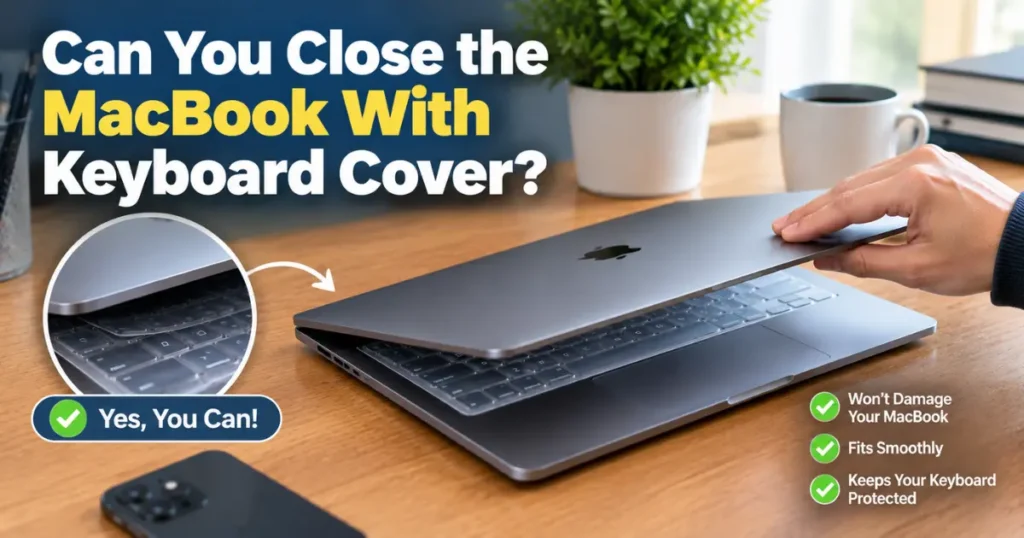
No. Apple’s official guidance says to take off any camera cover, palm rest cover, or keyboard cover before closing a Mac notebook’s display because leaving material on the display, keyboard, or palm rest can interfere with the display when it’s closed and cause damage (Apple Support, 2023). apple
This applies to every current MacBook Air and MacBook Pro model. The rule exists because of how thin these laptops are built, not because of a specific brand of cover.
Why Keyboard Covers Cause Screen Damage
MacBooks are engineered with almost no space between the keys and the display when closed. Apple states that the clearance between the display and the top case is engineered to tight tolerances (Apple Support, 2023), which is what lets the laptop stay thin. apple
A keyboard cover, even one marketed as “ultra-thin,” adds a layer of material on top of every key. When you shut the lid, that layer presses into the glass instead of the keys sitting flush against open air. One MacBook repair guide notes that even something as thin and pliable as a keyboard cover can crack a MacBook Air’s screen, since the Air has less internal clearance than the Pro (MacMost, 2024).
The damage does not always show up right away. Some owners close their MacBook with a cover on for months without a problem, then find a cracked line or a permanent key-shaped mark on the screen. One Apple Support Community user described removing a silicone keyboard cover only to find that the outline of the keys had etched itself into the display over time (Apple Support Communities, 2020).
What Actually Happens to the MacBook
The damage from a keyboard cover under pressure falls into three categories, and they don’t always show up together.
| Type of Damage | What It Looks Like | How It Happens |
|---|---|---|
| Screen cracking | Visible lines or spider-web fractures on the glass | Direct pressure from the cover against the display when closed |
| Ghosting or key marks | Faint or permanent imprints of the keyboard on the screen | Repeated light contact over weeks or months |
| Heat and condensation buildup | Fogging under the cover, warm keyboard, slower performance | The cover blocks airflow the keyboard normally helps dissipate |
Screen damage is the costliest outcome. On modern MacBooks, the display is sealed to the top case as a single unit, so a cracked screen usually means replacing that entire assembly rather than just the glass (Apple Support Communities, 2020).
Does This Apply to Every Type of Keyboard Cover?
Yes. Apple’s warning names keyboard covers specifically, along with camera covers and palm rest covers, and does not carve out an exception for thickness or material (Apple Support, 2023). Silicone skins, plastic film covers, and fabric covers are all included.
A tech outlet that tested this advice found that even keyboard covers thin enough to feel invisible while typing were still thick enough to touch the display once the lid closed (BGR, 2024). The cover does not need to be bulky to cause a problem. It just needs to occupy space that Apple did not design any clearance for.
What If You Have a Different Laptop?
The firm no above applies to MacBooks, where Apple designs for near-zero clearance between the keyboard and the display. For other laptops, which often have more room when closed, the answer is graded by cover thickness — though the major manufacturers still advise caution.
Most major laptop manufacturers advise against leaving a keyboard cover on when closing the lid for extended storage or transport. Apple’s own support documentation notes that keyboard covers can interfere with the keyboard and display when closed (Apple Support, 2025).
Dell and Lenovo don’t sell official keyboard covers for this reason and generally recommend against covers that add thickness near the display’s contact points (Dell Support, 2024).
A keyboard cover thicker than 0.2mm is generally considered risky for regular lid closing. Ultra-thin covers, often labelled 0.1mm to 0.15mm, are designed specifically to be low-profile enough for daily closing.
| Cover Thickness | Safe to Close Lid? | Typical Use Case |
|---|---|---|
| 0.1mm–0.15mm (ultra-thin) | Yes, with minimal risk | Daily use, frequent closing |
| 0.18mm–0.25mm (standard) | Caution advised | Occasional closing, open more often |
| 0.3mm+ (thick/textured) | Not recommended | Should be removed before closing |
Manufacturers rarely print thickness on the packaging clearly, so check the product listing or measure with calipers if you already own one.
Hinge strain is a separate concern. A thicker cover forces the hinge to close against more resistance, which can loosen hinge tension over hundreds of open-close cycles (iFixit, 2024).
This wear is gradual. A single thick cover used for a year won’t break your hinge, but it can shorten its expected lifespan compared to closing the lid bare.
Common Mistakes People Make With Keyboard Covers
- Leaving the cover on “just this once”: A single closure rarely causes instant, visible damage, which convinces people it’s safe. The risk builds with repetition, not with one incident.
- Assuming a thinner cover is a safe cover: Thickness reduces risk but does not remove it, since the tolerance Apple designed for is measured in fractions of a millimeter (Apple Support, 2023).
- Ignoring heat buildup: Even if you always remove the cover before closing the lid, leaving it on during long typing sessions can trap heat the keyboard is meant to release (MacMost, 2024).
What to Do Instead
If you want to keep debris, spills, or hand oil off the keys, remove the cover every time before closing the lid and put it back on when you reopen the laptop. Some users pair a keyboard cover with a sleeve that has a dedicated pocket for it, so removing and storing it becomes part of the same motion as putting the laptop away (MacMost, 2024).
A second option is a case or sleeve that only touches the machine while it’s closed, such as a padded sleeve or a hard shell for transport. This gives you protection without ever putting material between the keyboard and the screen.
If your main concern is keys marking the screen during transport, a soft cloth placed loosely over the keyboard and removed before you carry the laptop can work, though Apple does not officially endorse any add-on product for this purpose (Apple Support, 2023).
Frequently Asked Questions About MacBook Keyboard Covers
Can you close a MacBook with a keyboard cover on?
No. Apple’s official support documentation says to remove any keyboard cover before closing the display, since the tight clearance between the keyboard and screen can lead to display damage (Apple Support, 2023).
Will a thin keyboard cover still damage the screen?
It can. Thickness lowers the risk but does not eliminate it. Even covers marketed as ultra-thin have been reported to leave marks or contribute to cracks over repeated use (MacMost, 2024).
What does keyboard cover damage look like on a MacBook screen?
It ranges from faint, permanent key-shaped imprints on the display to visible cracks in the glass, depending on the cover’s thickness and how often the laptop was closed with it on (Apple Support Communities, 2020).
Is it safe to leave a keyboard cover on while typing, as long as I remove it before closing the lid?
Typing with the cover on does not risk the screen, since the lid stays open. The main added concern is heat, since a cover over the keys can trap warmth that the keyboard normally helps release (MacMost, 2024).
Does AppleCare+ cover screen damage caused by a keyboard cover?
Apple’s support page does not list keyboard cover damage as a covered scenario, and it explicitly instructs users to remove covers to prevent this type of damage in the first place (Apple Support, 2023). Check your specific AppleCare+ terms or contact Apple Support to confirm coverage in your case.
Key Takeaways
- Apple’s official position is clear: remove keyboard covers before closing a MacBook’s lid.
- The risk is structural, tied to the laptop’s tight screen-to-keyboard clearance, not to any one brand of cover.
- Damage can be gradual (key marks) or sudden (cracked glass), and screen repairs are typically expensive.
- The safest approach is removing the cover every time you close the lid, or skipping keyboard covers in favor of a case that only protects the machine while shut.
Sources:
- Apple Support — Using a camera cover, palm rest, or keyboard cover on a Mac notebook
- MacMost — Do Not Use Keyboard Covers Or Camera Covers With Your MacBook
- BGR — The Keyboard Accessory Most MacBook Owners Should Skip
- Apple Support — Using keyboard covers and screen protectors (2025)
- Dell Support — Laptop accessory compatibility guidance (2024)
- iFixit — Laptop hinge wear and repair guides (2024)
No. Apple’s official support documentation says to remove any keyboard cover before closing the display, since the tight clearance between the keyboard and screen can lead to display damage (Apple Support, 2023).
It can. Thickness lowers the risk but does not eliminate it. Even covers marketed as ultra-thin have been reported to leave marks or contribute to cracks over repeated use (MacMost, 2024).
It ranges from faint, permanent key-shaped imprints on the display to visible cracks in the glass, depending on the cover’s thickness and how often the laptop was closed with it on (Apple Support Communities, 2020).
Typing with the cover on does not risk the screen, since the lid stays open. The main added concern is heat, since a cover over the keys can trap warmth that the keyboard normally helps release (MacMost, 2024).
Apple’s support page does not list keyboard cover damage as a covered scenario, and it explicitly instructs users to remove covers to prevent this type of damage in the first place (Apple Support, 2023). Check your specific AppleCare+ terms or contact Apple Support to confirm coverage in your case.



Leave a Reply