
[Published: September 19, 2026 | Last updated: September 19, 2026] | 8 min read
TL;DR
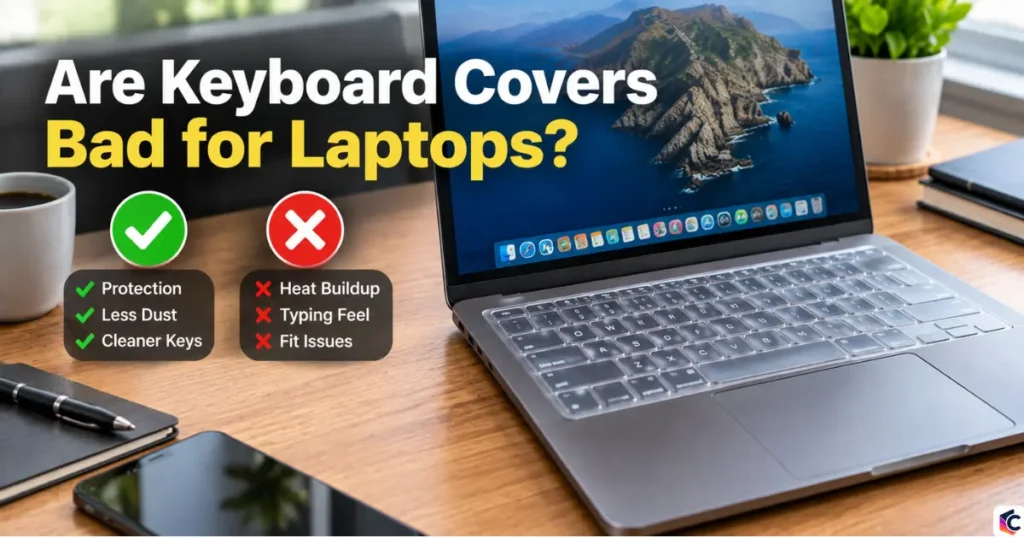
- Keyboard covers rarely cause overheating on most modern laptops, but they can crack or scratch the screen if the laptop is closed with the cover still on.
- Apple explicitly warns against leaving a keyboard cover on when closing a MacBook, because the gap between the keyboard and display is built to very tight tolerances (Apple Support, accessed 2026).
- Silicone covers change how typing feels and can slow you down; thinner TPU covers preserve more of the original key feel (Angry Miao, 2025).
- The real risk with keyboard covers is trapped moisture and pressure marks on the screen, not heat damage, on laptops built in the last decade.
- If you want dust and spill protection without the downsides, remove the cover before closing the lid, or switch to keyboard stickers that sit flush with the keys.
What Is a Keyboard Cover and What Does It Actually Do?
A keyboard cover is a thin, flexible sheet, usually silicone or TPU (thermoplastic polyurethane), that stretches over a laptop’s keys. It sits on top of the keyboard without being permanently attached, and you can peel it off in seconds.
The purpose is protection: it blocks dust, crumbs, hair, and spilled liquids from getting between the keys. It also stops keys from getting shiny or worn from finger oils over years of use, and it lets you personalize the laptop’s look with color or a printed design.
Keyboard covers are not the same as keyboard skins made from paper-thin decals, or as hard, rigid shells used on standalone mechanical keyboards. Laptop covers need to be flexible enough to let the keys still travel and register each press.
Does a Keyboard Cover Cause a Laptop to Overheat?
For the vast majority of laptops made in the past 10 years, a keyboard cover does not meaningfully raise internal temperature. Most modern laptops pull cooling air in through vents on the bottom or sides of the chassis, not through the gaps between keys, so a cover sitting on top of the keyboard doesn’t block the airflow the fans depend on.
Older laptop designs are a different story. Some early aluminum MacBook models did draw a portion of their intake air through the keyboard deck, and long-term forum reports from Mac owners describe those specific models running warmer with a cover installed, sometimes shutting down unexpectedly until the cover was removed (Apple Support Community, 2025). Newer models with side or rear intake vents don’t have this issue.
If you’re not sure how your laptop cools itself, check the underside for vent slots. If you see clear vents on the bottom panel, the keyboard isn’t your laptop’s main air intake, and a cover is very unlikely to cause heat problems.
Can a Keyboard Cover Damage the Screen?
Yes, this is the most common and best-documented risk, and it has nothing to do with heat. Laptop screens sit extremely close to the keyboard when the lid is closed. Apple states directly that the clearance between the display and the top case on Mac notebooks is “engineered to tight tolerances,” and that leaving a camera cover, palm rest cover, or keyboard cover in place while closing the lid can damage the display (Apple Support, accessed 2026).
Even a cover as thin as a sheet of paper adds enough extra height to press against the glass over time. The damage isn’t always instant. It can show up as faint key-shaped imprints, pressure marks, or in worse cases, cracked glass or a malfunctioning display, months after the habit started (BGR, 2024).
The fix is simple in theory and easy to forget in practice: take the cover off every time you close the lid. If that’s not realistic for your routine, a cover isn’t the right protection method for you.
Does a Keyboard Cover Trap Moisture Against the Keys?
A keyboard cover can trap condensation between the cover and the keys, especially if the laptop is closed while the cover is still warm from use or after a spill. Apple support forum moderators have pointed to condensation buildup under a cover as a documented cause of keyboard and trackpad issues on closed laptops (Apple Support Community, 2021).
This matters most in humid climates, or when a laptop goes from a warm room into an air-conditioned bag. Moisture that can’t evaporate sits directly against the switches under each key, which is a worse environment for the keyboard’s electronics than open air.
If you live somewhere humid, remove the cover before storing the laptop, or choose a cover with small perforations that let air move.
Does a Keyboard Cover Change How Typing Feels?
Yes, and the amount depends on the material. Silicone covers add a soft, springy layer over every key, which changes the tactile feedback your fingers rely on to know a keystroke registered. Users report needing more finger pressure to type accurately, and some report a drop in typing speed while adjusting (Keyshorts, 2024).
TPU covers sit closer to the actual key surface and are thinner than silicone, so they preserve more of the laptop’s native key feel while still blocking dust and light spills (Angry Miao, 2025). A side-by-side typing test on Microsoft’s Type Cover versus its flatter Touch Cover found that keyboards with real key travel let testers type as fast as, or faster than, their normal desktop keyboard, while the flatter alternative slowed most people down (PCWorld, 2012).
Most people adapt to a cover within a few hours to a few days of regular use. If a cover still feels wrong after a week, the material is probably too thick for your typing style.
Keyboard Cover vs. Keyboard Stickers: Which Protects Better?
| Factor | Silicone/TPU Cover | Keyboard Stickers |
|---|---|---|
| Typing feel | Noticeably softer, adds pressure needed | Unchanged, sits flush with keys |
| Liquid protection | Good, blocks spills from reaching switches | None, liquid still reaches the keys |
| Screen risk when closed | High if not removed first | None, doesn’t add height |
| Dust protection | Full coverage | Covers key tops only |
| Installation time | Seconds, stretches over the whole board | Around 15 minutes, applied key by key |
| Customization | Limited by mold shape | Fully custom per key, made to order |
Choose a cover when spill protection matters more than typing feel, such as for a laptop near food or drink. Choose stickers when you mainly want to stop key shine and personalize the look without affecting keyboard performance (Keyshorts, 2024).
Common Mistakes That Cause Keyboard Cover Damage
- Closing the lid with the cover on: this is the single biggest cause of screen damage. Get in the habit of removing it before you fold the laptop shut.
- Buying a cover that doesn’t match the exact keyboard layout: an ill-fitting cover shifts keys out of position and distorts the shape of larger keys like Enter or Shift.
- Leaving a wet cover in place: wipe spills off the top of the cover immediately, then lift the cover to check that nothing seeped underneath.
- Assuming every laptop cools the same way: check your specific model’s vent placement before assuming a cover is risk-free for heat.
Frequently Asked Questions About Keyboard Covers
Are keyboard covers bad for laptops?
Keyboard covers are generally safe for daily typing and don’t overheat most modern laptops, but they can crack or damage the screen if you close the lid without removing the cover first (Apple Support, accessed 2026).
Do keyboard covers cause laptops to overheat?
On laptops with bottom or side air vents, a keyboard cover has little to no effect on internal temperature, since cooling air isn’t pulled in through the keys. Only some older laptop models that vented through the keyboard deck are at real risk of running hotter.
Do keyboard covers damage MacBook screens?
Yes, if you close the lid with the cover still on. Apple’s official guidance says the gap between the display and the keyboard deck is engineered too tightly to close safely with anything left on the keys (Apple Support, accessed 2026).
How do I clean a keyboard under a cover without damage?
Remove the cover completely before cleaning. Wipe the keys with a dry, fine cloth or use compressed air to clear dust from between the keys, then let the cover dry fully before putting it back on if it was wet.
Is it better to use keyboard stickers instead of a cover?
Stickers are the better choice if typing feel matters most to you, since they don’t add a layer over the keys and carry no risk of screen damage when closing the lid. A cover is still the better choice for actual spill protection.

Leave a Reply