
[Published: September 21, 2026 | Last updated: September 21, 2026] | 7 min read
TL;DR
- Most laptop owners don’t need a keyboard cover — it’s a personal call based on your environment, not a universal requirement.
- Keyboard covers block dust, crumbs, and minor splashes but do nothing against a real spill, since liquid runs off the top and into the vents anyway.
- A 2010 IDC/Panasonic study found 72% of damaged business laptops had keyboard damage, more than any other component (IDC/Panasonic, 2010).
- Covers can trap heat on laptops that pull cooling air through the keyboard deck, and they change how keys feel under your fingers.
- If you eat at your desk, have kids or pets nearby, or use your laptop in dusty conditions, a cover is worth the $10-$20. If not, skip it.
What Is a Keyboard Cover and Who Actually Needs One?
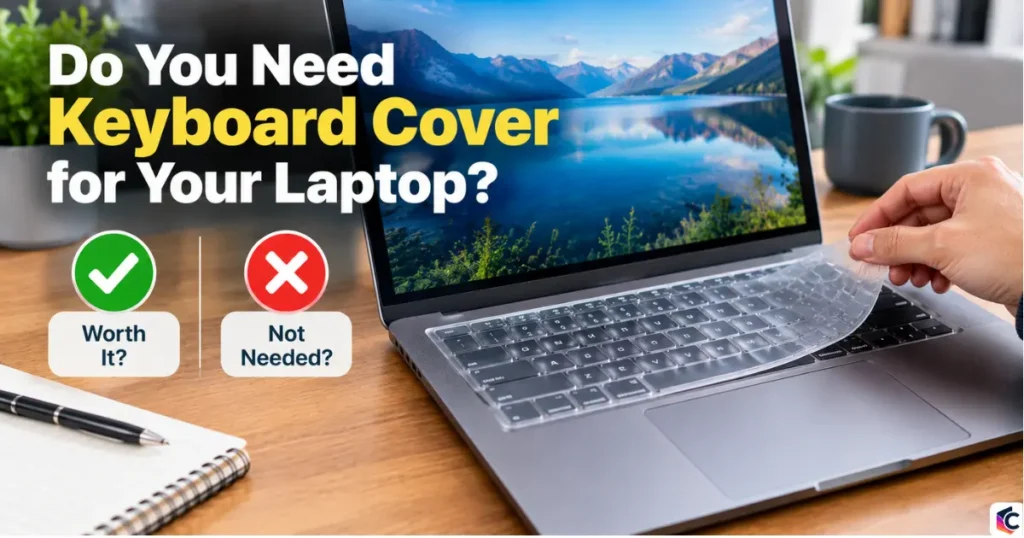
A keyboard cover is a thin, custom-molded sheet of silicone (or occasionally TPU) that fits directly over your laptop’s keys. You type through it rather than removing it first.
You need one if your laptop sits somewhere dusty, gets used around food or drinks, or shares space with kids or pets. You probably don’t need one if you use your laptop mainly at a clean desk and are careful with liquids near it. The cover’s whole job is to intercept small stuff – crumbs, dust, hair, a few drops of coffee – before it reaches the keys underneath.
Keyboard covers have been especially popular with MacBook owners for years, though demand for them has cooled off somewhat more recently. Custom molds exist for most current MacBook, ThinkPad, and Dell XPS models. Finding one for a less common PC laptop is harder, simply because there are so many different chassis shapes on the market. upsie
What a Keyboard Cover Actually Protects Against
A cover earns its keep in three specific situations: dust, crumbs, and small splashes. Here’s what it does and doesn’t stop.
The most obvious benefit is keeping dust, crumbs, and other debris out of the space between and under your keys. That matters most on laptops with shallow-travel keyboards, where a single piece of grit under a key can make it stick or stop registering. upsie
Covers also catch minor splashes – a stray drop from a coffee mug, condensation from a cold glass. They will not save your laptop from a full cup going over. Liquid still runs off the raised silicone and finds its way to the edges of the keyboard deck, the hinge gap, or the side vents, which is exactly where most laptops draw in cooling air. A cover buys you a few extra seconds to react, not immunity.
What a Cover Does Not Protect
- Full spills. A cover redirects a splash, but a poured drink will flow off the edges and into the same gaps it would reach without one.
- Screen damage. A cover does nothing for the display; that’s a separate problem entirely.
- Drops and impacts. Covers protect keys, not the chassis, hinge, or internal components.
The Overheating Question, Answered
Whether a cover causes overheating depends entirely on how your specific laptop is designed to cool itself, not on covers in general. Most laptops – including current MacBooks – draw cooling air through vents on the sides or rear, not through the keyboard deck itself, so a cover has little measurable effect on temperature. A minority of thin gaming laptops and some ultrabooks route part of their airflow up through gaps around the keys, and on those models a snug cover can trap heat and push fan noise up.
The safest way to check is to look up your specific laptop’s cooling design before you buy a cover, rather than assuming either way. If your machine already runs hot under normal use, a cover is the wrong call regardless of how it’s vented.
What You Give Up by Using One
A cover changes how typing feels, and that trade-off is the main reason people stop using them. Silicone adds a small amount of give under every keystroke, which some people adjust to within a day, and others never get used to. If you type fast or do a lot of writing, test one before committing to a full set.
Three other trade-offs come up often:
- Thickness at the hinge. Even “thin” covers aren’t paper-thin. On many laptops, closing the lid with a cover on presses the silicone against the screen, which over months can leave faint marks on the display coating.
- Yellowing over time. Clear silicone covers can pick up a yellow tint after months of exposure to skin oils and light, especially on lighter-colored laptops where it’s more visible.
- Sound and feel. Some people like the softer, quieter sound of typing through silicone. Others find it makes the keyboard feel mushy or unresponsive.
Keyboard Cover vs. Keyboard Stickers: Which Fits Your Situation
If typing feel and looks matter more to you than spill protection, keyboard stickers solve a different problem than covers do, so the right choice depends on what you’re trying to fix.
| Factor | Silicone Cover | Keyboard Stickers |
|---|---|---|
| Typing feel | Changed, some resistance | Unchanged, same as bare keys |
| Spill protection | Blocks minor splashes | None |
| Dust protection | Yes | Partial, gaps between keys remain |
| Installation time | Seconds | About 15 minutes |
| Yellowing risk | Yes, over months | No |
| Custom designs/finishes | Limited, mostly clear or tinted | Can be made to order, including metallic finishes |
Stickers don’t affect laptop cooling since they don’t add a raised layer over the keys, but they also give up the one thing covers are actually good for: stopping liquid and debris before they reach the keyboard. keyshorts
Why Keyboard Damage Is More Common Than You’d Think
Keyboards take more physical damage than any other part of a laptop, making a cover a strong choice if you’re accident-prone. A UK study commissioned by Panasonic and conducted by IDC found that 72% of businesses reporting laptop damage cited keyboard damage specifically, ahead of screen damage at 66% (IDC/Panasonic, 2010). That same research put the average cost of repairing and replacing data on a damaged business laptop at £1,576 per incident (IDC/Panasonic, 2010). turk-internetturk-internet
Current repair pricing backs this up. Screen and keyboard repairs on mainstream business laptops typically run $230 to $430 total once parts and labor are included (Swappa, 2026), and that’s before factoring in the chance that a spill damages the motherboard underneath. A $15 cover is cheap insurance next to that math, if your risk of spills or dust exposure is genuinely high. swappa
Common Mistakes People Make with Keyboard Covers
- Buying a generic-fit cover instead of a model-specific one. A loose cover shifts while you type and catches more crumbs than it keeps out, defeating the purpose.
- Leaving the cover on and closing the lid without checking clearance. On some models, this presses silicone into the screen for hours at a time and can leave marks.
- Using one on a laptop with known keyboard-deck airflow. Check your laptop’s cooling design first, since this is the one case where a cover can genuinely hurt performance.
- Assuming it protects against real spills. Treat it as debris protection, not spill insurance. Keep drinks off your desk if that’s your actual concern.
Frequently Asked Questions
Do laptop keyboard covers cause overheating?
On most laptops, no, because cooling air is drawn through side or rear vents rather than through the keyboard deck. A small number of thin gaming and ultrabook models do route airflow near the keys, and on those, a cover can raise internal temperatures slightly.
Will a keyboard cover protect my laptop from a spilled drink?
No. It blocks minor splashes and drips, but a poured drink runs off the cover’s edges into the same gaps and vents it would reach without one. For real spill protection, keep drinks away from the laptop entirely.
How long do keyboard covers last before they need replacing?
Most last one to two years of daily use before the silicone starts to yellow, stretch, or feel less responsive. Replacement is inexpensive, typically $10-$20 depending on the laptop model.
Are keyboard covers bad for typing speed?
Some people notice a small adjustment period, usually a few days, as they get used to the slight give in silicone. Fast typists who rely on precise key feedback sometimes never fully adjust and switch to stickers or no cover instead.
Is a keyboard cover or keyboard stickers the better choice?
It depends on what you’re solving for. Covers are better if dust and minor spills are your main concern. Stickers are better if you want zero change to typing feel and don’t need spill protection.
Key Takeaways
- A keyboard cover is worth it if you eat near your laptop, deal with dust, or share your space with kids or pets.
- It won’t save you from a real spill, only minor splashes and debris.
- If you’re worried about heat, check your laptop’s cooling design before buying one.
- Keyboard damage is more common than most people expect, making a cheap cover reasonable insurance for accident-prone users.
Sources:

Leave a Reply