
Last updated: September 17, 2026 | 7 min read
TL;DR
- A keyboard cover is a thin, flexible sheet – usually silicone or TPU – molded to match your keyboard’s key layout and placed directly over the keys.
- It works by flexing with each keystroke: the material compresses when you press a key and springs back when you release it, so the keyboard underneath still registers the input.
- The cover forms a physical seal against dust, crumbs, and liquid spills, which cause 60% of laptop repairs according to a 2009 MicroReplay analysis (MicroReplay, 2009).
- Silicone covers protect best against liquids but change typing feel the most; TPU covers protect nearly as well with less impact on feel.
- Fit matters more than material – a cover cut for the wrong keyboard model will bunch, shift, or block key travel.
What Is a Keyboard Cover?
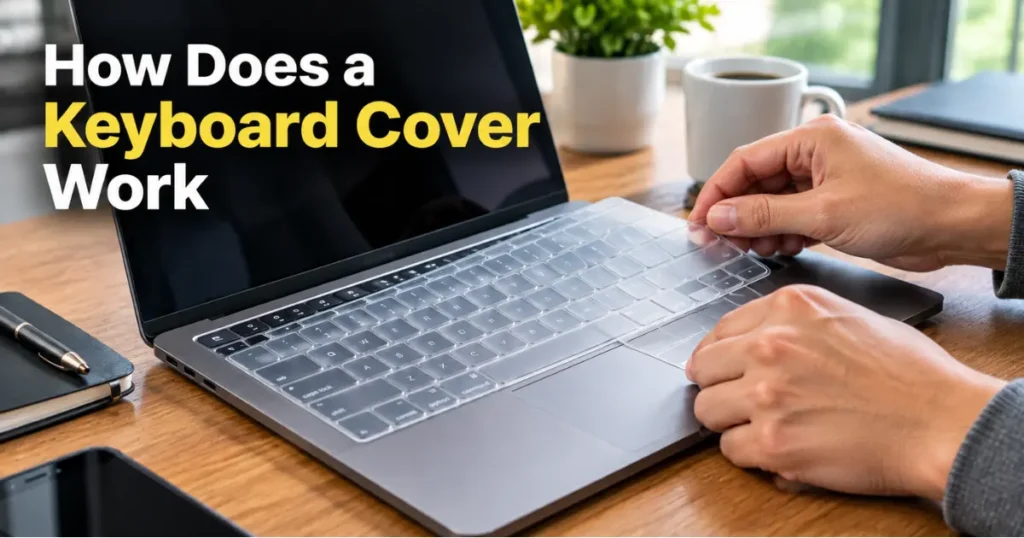
A keyboard cover is a flexible, keyboard-shaped sheet that sits on top of your keys and stays there while you type. It is molded with raised sections for each key, so it follows the exact layout of the keyboard it’s made for.
The purpose is to stop dust, crumbs, oils, and liquid from reaching the switches and circuitry underneath. Some people also use one to keep a keyboard visually clean or to avoid smudging keycap lettering over time.
There are two related but different products: keyboard skins (thin covers worn while typing) and keyboard dust covers (rigid or fabric shells placed over the board when it’s not in use). This article focuses on the skin type, since that’s what most people mean by “keyboard cover.”
How a Keyboard Cover Actually Works
A keyboard cover works through three mechanical properties: flexibility, molding, and sealing. Each one solves a specific problem.
Flexibility. The material – typically silicone or thermoplastic polyurethane (TPU) – is soft enough to compress under the pressure of a fingertip. When you press a key, the cover deforms along with the keycap, so the key still travels down and triggers the switch. When you release, the material’s elasticity pulls it back to its resting shape.
Molding. The cover isn’t a flat sheet. It’s manufactured with individual raised bumps for each key, matched to that keyboard’s specific spacing and shape (Keyboard Protector, Wikipedia). A cover built for the wrong layout will have keys that don’t line up, which causes typos and uneven feel.
Sealing. Because the cover sits flush against the base of the keys, it blocks the gaps between keycaps where dust and liquid normally fall through. Some designs extend slightly past the edge of the keyboard and tuck under the frame for a tighter seal.
Why the Material Choice Changes How It Performs
| Material | Liquid protection | Typing feel impact | Typical use case |
|---|---|---|---|
| Silicone | Strong | Noticeable – softer, more resistance | Spill-prone environments, shared keyboards |
| TPU | Strong | Minimal – closer to bare keycap feel | Users who want protection without changing feel |
| Hard plastic/acrylic | Strong (only when board is off) | None while in use – it’s removed to type | Storage, travel, gaming keyboard display |
| Fabric (neoprene/polyester) | Weak against liquid | None while in use – removed to type | Dust protection during transport |
Silicone is the most common material because it’s inexpensive, waterproof, and easy to mold (Are Keyboard Covers Worth It?, Angry Miao, 2024). The tradeoff is thickness: silicone adds a soft layer between your finger and the key, which changes tactile feedback and can slow typing speed until you adjust.
TPU sits closer to the actual keycap surface. It’s thinner and more transparent, so it interferes less with typing feel while still blocking liquid and grease (Are Keyboard Covers Worth It?, Angry Miao, 2024).
What a Keyboard Cover Actually Protects Against
A keyboard cover’s main job is stopping physical contaminants before they reach the switches. Liquid spills alone account for 60% of all laptop repair tickets, according to a 2009 industry analysis by repair company MicroReplay (MicroReplay, 2009).
Once liquid gets past the keycaps, it can short-circuit components or cause corrosion on the motherboard over time, even if the laptop still seems to work afterward. A cover intercepts the spill at the surface, before it reaches that layer.
The same barrier stops smaller, slower damage: crumbs that jam under keys, skin oils that make keycap lettering fade, and dust that builds up between switches and eventually affects key responsiveness.
Common Mistakes to Avoid With Keyboard Covers
- Buying a “universal” cover for a non-standard layout: Ultra-thin or compact laptop keyboards often have irregular spacing. A generic cover will bunch at the edges and block some keys from registering properly.
- Leaving a laptop cover on when closing the lid: Some covers add enough thickness that the screen presses into the keys, which can mark the display or strain the hinge over time.
- Assuming any cover stops liquid completely: Fabric and mesh covers block dust but let liquid through. Only solid silicone or TPU sheets create a real liquid barrier.
- Never cleaning the cover: Oils and dust build up on top of the material just like they would on bare keys. A cover that’s never cleaned defeats part of its own purpose.
Frequently Asked Questions About Keyboard Covers
What is a keyboard cover?
A keyboard cover is a thin, flexible sheet – usually silicone or TPU – molded to match a specific keyboard’s key layout. It sits on top of the keys and protects against dust, liquid, and daily wear while still allowing normal typing.
How does a keyboard cover work when you type?
The cover flexes with each keypress. Soft, elastic material compresses when a key is pressed and returns to shape when released, so the key underneath still travels far enough to register the keystroke.
Does a keyboard cover slow down typing?
It can, at least at first. Silicone covers add resistance and change tactile feedback, which affects speed and accuracy until the user adjusts. TPU covers have less impact because the material is thinner and sits closer to the keycap.
Can a keyboard cover really stop a liquid spill from damaging a laptop?
A solid silicone or TPU cover blocks most liquid from reaching the switches and the gaps between keys, where spills typically travel toward the motherboard. It won’t help with liquid poured directly onto an open port or vent, and heavy spills can still seep around the edges.
How is a keyboard skin different from a keyboard dust cover?
A keyboard skin is worn during use and flexes with each keystroke. A dust cover – often rigid plastic or fabric – is placed over the board only when it’s not in use and must be removed before typing.
Do keyboard covers fit all laptop models?
No. Covers are molded to match the exact key spacing and layout of specific keyboard models or model families. A cover made for one laptop generation often won’t fit a different one properly, even from the same brand.
Key Takeaways
- A keyboard cover protects through flexibility (it moves with each keypress), molding (it matches the exact key layout), and sealing (it blocks gaps where dust and liquid enter).
- Liquid spills cause the majority of laptop repairs, which is the main problem keyboard covers address (MicroReplay, 2009).
- Silicone offers the strongest liquid protection but the biggest change in typing feel; TPU is a middle ground.
- A poor-fitting cover causes more typing problems than no cover at all – match it to your exact keyboard model.
Sources referenced:

Leave a Reply