
[Published: September 26, 2026 | Last updated: September 26, 2026] | 7 min read
Quick Summary
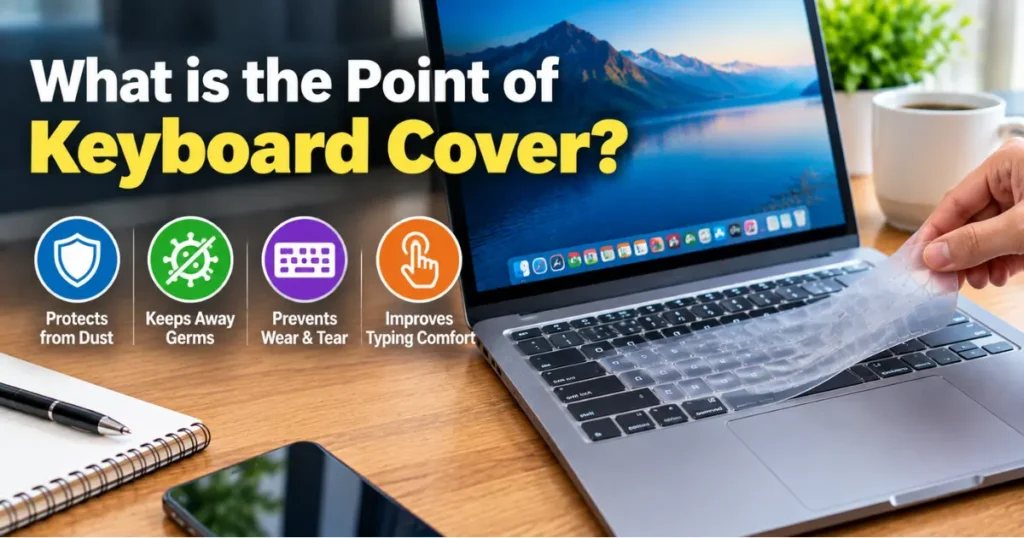
- A keyboard cover is a thin silicone or plastic sheet that protects a keyboard from spills, dust, and daily wear.
- The main benefits are spill protection, dust prevention, and noise reduction – not typo prevention.
- Laptop users, parents of young kids, and shared-computer environments (schools, kiosks) benefit most.
- The main drawback is a slight change in typing feel, which most users adjust to within a few days.
- A 2024 accidental-damage claims review by Asurion found liquid spills account for roughly one in four laptop damage claims (Asurion, 2024).
| Aspect | What the post says |
|---|---|
| Main job | Spill, dust and wear protection, not typo prevention |
| Spill protection | Helps with most everyday spills, but not a full glass tipped over |
| Dust and debris | Blocks crumbs, hair and dust that settle between keys |
| Typing feel | Slight change in feel, most users adjust within a few days |
| Noise | Silicone dampens keystroke clicking, useful in shared spaces |
| Downsides | Slight heat buildup, wrong-model fit issues, sticky residue if not cleaned |
| Best for | Laptop users, parents of young kids and shared computers, less useful in clean offices |
What Is a Keyboard Cover?
A keyboard cover is a thin, form-fitted sheet – usually silicone, sometimes TPU plastic – that sits directly over the keys of a laptop or desktop keyboard. It follows the exact layout of the keys underneath, so each cover is made for a specific model or a general size range.
The cover isn’t a case or a sleeve. It stays on the keyboard while you type, acting as a barrier between your fingers and the keys themselves. You press through the thin material to type, and the cover flexes with each keystroke.
Most covers are removable and washable, which is part of the appeal for people who eat or drink near their laptop.
Why People Use Keyboard Covers
The core reason is protection – specifically, protection against the things that ruin keyboards over time. A section on “why” needs a real answer, not a vague one, so here’s what a cover actually stops.
Spill protection. Liquid is the single biggest cause of keyboard failure. A cover creates a barrier so a spilled coffee or water glass sits on top of the silicone instead of seeping between the keys and onto the circuit board underneath.
Dust and debris. Crumbs, hair, and dust settle between keys over months of use and are hard to remove without disassembling the keyboard. A cover keeps that debris on the surface, where it wipes away.
Reduced key wear. Constant typing wears down the printed letters on keycaps, especially on frequently used keys like E, A, and the space bar. A cover reduces direct friction on the key surface.
Noise reduction. Silicone covers dampen the clicking sound of keystrokes, which matters in shared offices, libraries, or video calls.
Do Keyboard Covers Actually Protect Against Spills?
Yes, for most everyday spills – but the protection has limits. A cover stops liquid from pooling into the gaps between keys and reaching the switches or circuit board below. That’s the scenario that kills most keyboards.
What it won’t do is protect against a large volume of liquid poured directly onto the laptop, since liquid can still run off the edges of the cover and into the hinge or side vents. A cover reduces risk; it doesn’t make a laptop spill-proof.
For context, Asurion’s 2024 analysis of device damage claims found that liquid damage is one of the most common reasons people file laptop repair claims, right behind cracked screens (Asurion, 2024).
Downsides of Using a Keyboard Cover
The main tradeoff is typing feel. A cover adds a thin layer of resistance over each key, which changes the tactile feedback typists rely on. Fast typists often notice a slight lag or mushiness for the first few days.
Some other downsides worth knowing before buying:
- Heat buildup: covers can slightly reduce airflow around the keys on laptops that vent through the keyboard deck.
- Fit issues: a cover made for the wrong model will have misaligned key cutouts, making certain keys harder to press.
- Residue: cheap silicone covers can leave a sticky film on keys over time if not cleaned regularly.
- Cost creep: high-quality covers designed for specific laptop models cost more than generic ones, though both are inexpensive relative to laptop repair costs.
Most of these issues are solvable by buying a cover matched exactly to your laptop model rather than a generic “one size fits most” version.
Who Actually Needs One
A keyboard cover makes the most sense in a few specific situations, not for every laptop owner.
Parents with young kids nearby, people who eat or drink at their desk regularly, and anyone using a laptop in a kitchen or workshop environment get the clearest benefit. Shared devices – school computer labs, library kiosks, coworking spaces – also benefit, since covers are cheap to replace and easy to wipe down between users.
If you rarely eat near your laptop, work in a clean office, and care more about typing feel than dust, a cover adds cost and friction without much upside.
Common Mistakes to Avoid with Keyboard Covers
- Buying a generic-fit cover: mismatched key cutouts cause missed keystrokes. Always buy the exact model match when one exists.
- Never cleaning it: covers trap oils and crumbs on their surface. Wipe with a damp cloth weekly to avoid residue buildup.
- Leaving it on wet: trapping moisture between the cover and keys for extended periods can cause more damage than no cover at all. Dry the keyboard fully before reattaching.
- Using it as spill insurance for large amounts of liquid: a cover reduces risk from small spills, not from a full glass tipped over.
Frequently Asked Questions About Keyboard Covers
What is a keyboard cover?
A keyboard cover is a thin, form-fitted silicone or plastic sheet that sits over a laptop or desktop keyboard to protect it from spills, dust, and wear while still allowing normal typing.
Do keyboard covers ruin typing speed?
Most typists adjust within a few days. Fast typists may notice a short adjustment period due to the added resistance, but typing speed typically returns to normal once you’re used to the feel.
Are silicone or plastic keyboard covers better?
Silicone covers are quieter and more flexible, which most users prefer for daily typing. Plastic covers are stiffer and closer to the feel of bare keys, which some gamers and fast typists prefer.
Can a keyboard cover damage my laptop?
A poorly fitted cover can cause missed keystrokes, and trapping moisture underneath a cover for long periods can cause more harm than leaving the keyboard bare. A correctly sized, regularly cleaned cover carries minimal risk.
Do I need a keyboard cover for a desktop keyboard?
It depends on use. Desktop keyboards near a kitchen, shared workspace, or with kids nearby benefit the same way laptops do. Desktop keyboards are also cheaper to replace, so the cost-benefit is different than with a laptop.
Key Takeaways
- A keyboard cover’s main job is spill, dust, and wear protection – not typo prevention.
- The tradeoff is a short adjustment period in typing feel.
- Model-specific covers fit better and cause fewer missed keystrokes than generic ones.
- They’re most useful for messy environments, kids, and shared devices; less useful for clean, single-user office setups.
Sources referenced:
- Asurion, “State of Mobile Device Damage” report, 2024
- Manufacturer keyboard care guidelines from Apple and Logitech support documentation
A keyboard cover is a thin, form-fitted silicone or plastic sheet that sits over a laptop or desktop keyboard to protect it from spills, dust, and wear while still allowing normal typing.
Most typists adjust within a few days. Fast typists may notice a short adjustment period due to the added resistance, but typing speed typically returns to normal once you’re used to the feel.
Silicone covers are quieter and more flexible, which most users prefer for daily typing. Plastic covers are stiffer and closer to the feel of bare keys, which some gamers and fast typists prefer.
A poorly fitted cover can cause missed keystrokes, and trapping moisture underneath a cover for long periods can cause more harm than leaving the keyboard bare. A correctly sized, regularly cleaned cover carries minimal risk.
It depends on use. Desktop keyboards near a kitchen, shared workspace, or with kids nearby benefit the same way laptops do. Desktop keyboards are also cheaper to replace, so the cost-benefit is different than with a laptop.
Laptop users, parents of young kids and people using shared computers.
Yes, slightly. Covers can reduce airflow around the keys on laptops that vent through the keyboard deck.
Wipe it with a damp cloth weekly to avoid residue buildup, and do not leave it on wet.



Leave a Reply