
[Published: September 25, 2026 | Last updated: September 25, 2026]
Quick Summary
- Keyboard covers are not strictly necessary for most users, but they earn their cost fast for anyone who eats, drinks, or works near dust and pets close to their laptop.
- Keyboard repair or replacement averages $75-$300, and water damage repair runs $100-$800+ (Worth Ave. Group, 2026).
- Silicone covers change typing feel the most; TPU covers change it the least, according to material comparisons from cover makers (Angry Miao, 2026).
- Liquid spills accounted for roughly 60% of the repairs one laptop shop handled in a single year (MicroReplay, 2009), and spill risk hasn’t gone away since.
- The right answer depends on where you use your laptop, not on a universal rule: skip the cover on a clean desk, use one near food, drinks, or dusty environments.
What Is a Keyboard Cover and What Does It Actually Do?
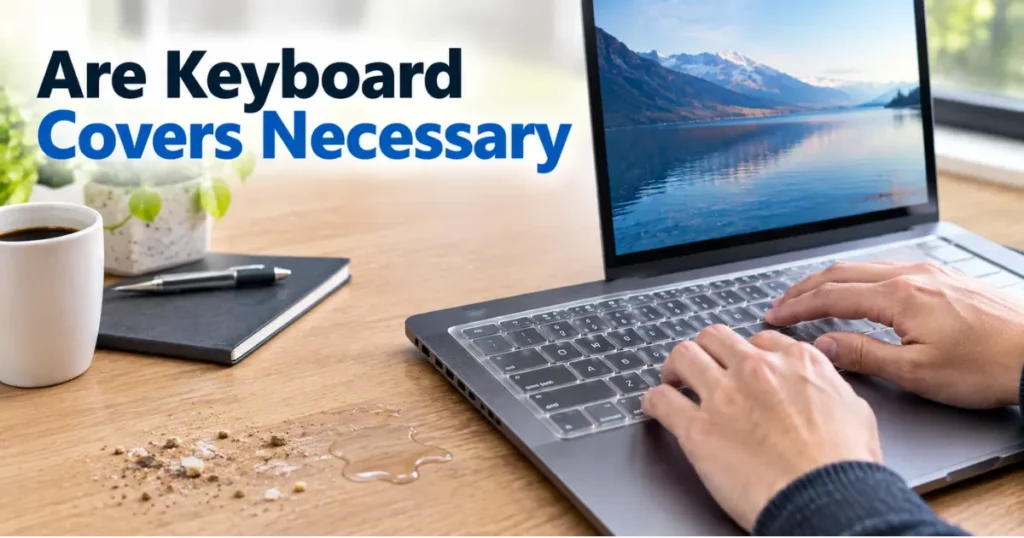
A keyboard cover is a thin layer of material, usually silicone, TPU, or hard plastic, that sits directly on top of your keys. It’s not the same as a laptop sleeve or a dust cloth. Its whole job is to sit between your fingers and the switches while you type, or over the board while it’s idle.
Covers fall into two functional categories. Keyboard skins are thin films worn during active typing, meant to block spills and debris while you’re using the machine. Dust covers, usually fabric or rigid plastic, sit over the board only when it’s not in use and offer no protection while you’re actually typing (store.angrymiao.com).
The Real Reasons People Buy Keyboard Covers
The first reason is dust and debris. Crumbs and dust work their way between keycaps over time and can affect how the switches feel and how long they last, which matters most for boards that sit out but aren’t cleaned often (store.angrymiao.com).
The second reason is liquid protection. Coffee, water, and sugary drinks are a leading cause of laptop failure. One repair shop reported that liquid spills made up about 60% of the laptop repairs it handled in a single year, with an average fix cost near $600 for a laptop that died on arrival from a spill (MicroReplay, 2009). More recent industry pricing puts keyboard repair or replacement between $75 and $300, and water damage repair between $100 and $800 or more depending on how far the liquid traveled inside the machine (Worth Ave. Group, 2026).
The third reason is cosmetic. A cover keeps key legends from wearing off and keeps the deck looking newer for resale, which matters if you plan to sell or return the laptop later.
Do Keyboard Covers Change How Typing Feels?
Yes, and this is the tradeoff most reviewers agree on. A cover adds a layer between your finger and the switch, which changes key travel and tactile response. Some typists actually like the softer landing — see how keyboard covers make typing quieter.
Material determines how much. Silicone covers have the biggest impact: they add a soft, slightly tacky surface and noticeably reduce tactile feedback (store.angrymiao.com). TPU covers sit closer to the actual keycap and preserve more of the original feel, making them the better pick if typing speed and accuracy matter to you. Hard plastic dust covers have zero impact on typing feel because they’re only used when the keyboard is idle.
| Material | Typing Feel Impact | Liquid Protection | Best Use |
|---|---|---|---|
| Silicone | High | Good | Occasional typing near food/drink |
| TPU | Low | Good | Daily typing with spill risk |
| Hard plastic | None (idle only) | Moderate | Storage, transport |
| Fabric | None (idle only) | Poor | Dust protection while stored |
Long-time users on forums split into two camps. Some report the typing experience is objectively worse with every cover they’ve tried, even the thinnest ones. Others say they adjusted within a few hours and now find bare keys feel too hard and slippery by comparison (forums.macrumors.com).
When a Keyboard Cover Is Actually Worth It
A cover earns its cost in a few specific situations, not as a blanket rule.
- You eat or drink at your desk. If coffee, tea, or snacks are ever within reach of the keyboard, a TPU or silicone skin turns a potential $100-$800 repair into a five-minute cleanup (Worth Ave. Group, 2026).
- You work in a dusty, sandy, or pet-heavy environment. Construction sites, workshops, and homes with shedding pets push more debris into switches than a typical office desk.
- You’re planning to resell or return the laptop. Worn, shiny key legends and grime lower resale value. A cover keeps the deck looking close to new.
- You share the laptop with kids or in a shared workspace. More hands means more crumbs, drinks, and accidental spills near the keys.
When You Can Skip One
If your laptop lives on a clean desk, away from food and drink, and you type for long stretches where speed and accuracy matter (writing, coding, gaming), skipping the cover is the better call. The dust that settles on an uncovered board in a normal office wipes off easily, and you keep full tactile feedback. A hard plastic or fabric dust cover for when the laptop is closed and in a bag is a lower-friction compromise: it protects without ever touching your typing.
Common Mistakes People Make with Keyboard Covers
- Buying silicone when TPU would fit the use case better: silicone protects well but has the strongest impact on feel, so it’s a poor pick for anyone who types for hours a day.
- Assuming a cover means the keyboard is spill-proof: covers reduce risk, they don’t eliminate it. Liquid can still seep in around the edges or through gaps if enough is spilled.
- Buying a generic-fit cover for a specific keyboard layout: cheaper covers sometimes reshape keys like Enter or Shift to fit multiple layouts in one mold, which can feel wrong on your specific board (keyshorts.com).
- Leaving a damp cover on the keyboard: trapped moisture under a cover after cleaning can sit against the keys longer than it would on an open board.
Frequently Asked Questions About Keyboard Covers
Are keyboard covers necessary for a laptop?
No, not for every laptop or every user. They’re most worth it if you eat or drink near your keyboard, work in a dusty environment, or want to preserve resale value. A clean, food-free desk setup doesn’t need one.
Do keyboard covers ruin your keyboard?
No, a properly fitted cover doesn’t damage the keys or switches underneath. It changes how typing feels while it’s on, but removing it restores the original feel.
Which keyboard cover material is best?
TPU offers the best balance: good spill and dust protection with the least impact on typing feel. Silicone protects just as well but feels softer and more noticeable under your fingers (store.angrymiao.com).
Can a keyboard cover actually stop liquid damage?
It reduces the risk significantly for small spills that would otherwise run straight into the switches, but it’s not a guarantee against a large spill or a cover that isn’t sealed properly at the edges.
How much does keyboard repair cost if you skip a cover and spill something?
Keyboard repair or replacement typically runs $75 to $300, while broader water damage repair can run $100 to $800 or more depending on how far the liquid reached inside the laptop (Worth Ave. Group, 2026).
Key Takeaways
- Keyboard covers trade some typing feel for real protection against spills, dust, and wear.
- TPU is the better middle ground for daily typists; silicone suits occasional use near food or drink.
- Repair costs for spills and keyboard damage routinely run into the hundreds of dollars, which is what makes a $10-$20 cover worth it for higher-risk setups.
- If your desk is clean and dry, skipping the cover keeps full tactile feedback with little added risk.
Sources:
- Worth Ave. Group, “Laptop Repair Costs: What to Expect and Prevention Tips” (2026) — worthavegroup.com
- Angry Miao, “Are Keyboard Covers Worth It” — store.angrymiao.com
- MacRumors Forums, keyboard cover typing-feel discussion — forums.macrumors.com
No, not for every laptop or every user. They’re most worth it if you eat or drink near your keyboard, work in a dusty environment, or want to preserve resale value. A clean, food-free desk setup doesn’t need one.
No, a properly fitted cover doesn’t damage the keys or switches underneath. It changes how typing feels while it’s on, but removing it restores the original feel.
TPU offers the best balance: good spill and dust protection with the least impact on typing feel. Silicone protects just as well but feels softer and more noticeable under your fingers.
It reduces the risk significantly for small spills that would otherwise run straight into the switches, but it’s not a guarantee against a large spill or a cover that isn’t sealed properly at the edges.
Keyboard repair or replacement typically runs $75 to $300, while broader water damage repair can run $100 to $800 or more depending on how far the liquid reached inside the laptop (Worth Ave. Group, 2026).


Leave a Reply