
Published: September 19, 2026 | Last updated: September 19, 2026 | 8 min read
TL;DR
- Most modern laptops pull cool air in through vents on the bottom or sides and push hot air out through the hinge or back, so a keyboard cover doesn’t block the main cooling path (Altium, 2023).
- Some older and ultra-thin laptop designs route air through gaps between the keys, so a cover on those specific models can trap heat (US Patent 5,982,615, Samsung, 1999).
- Thick silicone covers still trap radiant heat coming off the keyboard deck itself, which can push internal temperatures up a few degrees under heavy load.
- Thin, close-fitting covers made for daily typing have far less impact than bulky, all-purpose covers.
- Remove the cover during gaming, video rendering, or long video calls, and check your fan noise and temps if you keep it on full-time.
What Is a Keyboard Cover and Why People Use One
A keyboard cover is a thin sheet – usually silicone, TPU, or a similar flexible plastic – that lays over the keys. People use one to keep out crumbs, dust, spilled drinks, and pet hair.
Covers also protect against shiny or worn-down keycaps over time. Some are made for a specific laptop model and fit snugly around each key. Others are one-size-fits-most sheets sold cheaply online.
How Laptops Actually Cool Themselves
Laptops cool themselves by moving air across a heat sink attached to the CPU and GPU, then pushing that heated air out through an exhaust vent. The keyboard is rarely part of this path on modern machines.
A breakdown of a Dell XPS 9500’s cooling system found that air enters through slots on the bottom panel, crosses a heat sink connected to the processor by heat pipes, and exits through vents near the hinge during a review of how the machine’s cooling system is implemented, with air intake slots located on the bottom of the device (Altium, 2023). That layout is standard on the large majority of laptops sold today, from thin ultrabooks to gaming rigs. altium
The keyboard deck sits above these components, so some heat does radiate upward through it. But radiating heat and actively venting air through it are two different things, and that distinction is the center of the overheating debate.
Does a Keyboard Cover Block Airflow in Most Laptops?
No, for most laptops built in the last 10-15 years, a keyboard cover does not block the primary airflow path. Intake and exhaust happen through dedicated vents on the bottom, sides, or rear hinge, not through the keys themselves.
This is a common myth partly because a small number of older or unusual designs really did vent through the keyboard. A 1999 Samsung patent for a “ventilating keyboard” describes exactly that: holes built into the key wells so heat could escape upward instead of relying only on side vents (US Patent 5,982,615, Samsung, 1999). Designs like this were more common in the era before slim, unibody laptop chassis became standard.
If your laptop has visible vent slots on the bottom panel or along the hinge, and none built into the keyboard deck itself, a cover is very unlikely to be your overheating cause.
When a Keyboard Cover Can Actually Contribute to Heat Buildup
A cover can still play a role in heat problems in a few specific situations, even on laptops with bottom-mounted vents.
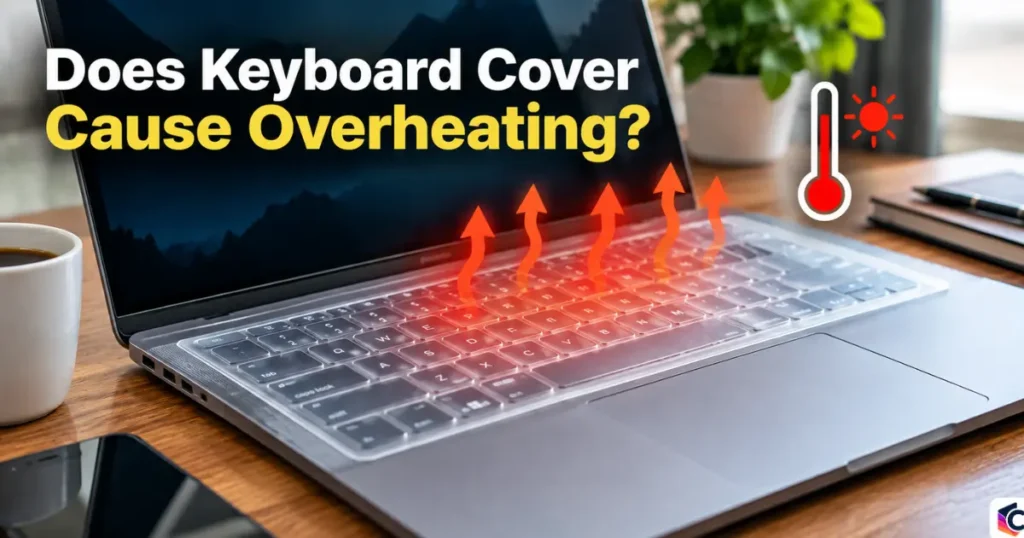
Thick silicone traps radiant heat. The keyboard deck gets warm from components underneath it during heavy use. A thick cover acts as insulation, holding that heat against the keys and the surrounding chassis instead of letting it dissipate into the room.
Clamshell mode changes the picture. When a laptop is closed and used with an external monitor, some heat that would normally rise off the open keyboard has nowhere to go but through the hinge vent. A cover left on in this setup adds one more layer between the warm chassis and the air.
Very thin or older ultraportables may vent through the keys. A small number of designs, especially compact machines from the 2000s and early 2010s, used the keyboard as part of the airflow path. A cover on one of these models has a real, measurable effect.
A cover plus a soft surface compounds the problem. Using a laptop on a bed or cushion already blocks bottom vents. Adding a keyboard cover on top doesn’t cause this on its own, but it removes one more avenue for heat to escape while the main vents are already restricted.
Which Laptops Are More at Risk
| Laptop type | Typical intake/exhaust location | Keyboard cover risk |
|---|---|---|
| Modern ultrabook (bottom vents, hinge exhaust) | Bottom panel and rear hinge | Low |
| Gaming laptop with side vents | Bottom and side panels | Low to moderate under sustained full load |
| Compact 2000s-2010s ultraportable | Sometimes through keyboard gaps | Moderate to high |
| Laptop used in clamshell mode with external display | Hinge only, lid closed | Moderate |
How to Tell If Your Cover Is Affecting Temperatures
Run a simple before-and-after check instead of guessing.
- Open a system monitoring tool that shows CPU and GPU temperature, such as the built-in activity monitor or a free third-party utility.
- Run a demanding task, like a video export or a game, for 15 minutes with the cover on. Note the peak temperature and fan noise.
- Remove the cover, let the laptop cool to idle temperature, then repeat the same task for 15 minutes.
- Compare the two peak temperatures. A difference of more than 5-8°C suggests the cover is having a real effect on your specific machine.
How to Safely Use a Keyboard Cover Without Overheating Risk
- Choose a thin, model-specific cover instead of a thick universal one. Thinner material insulates less.
- Take the cover off during sustained heavy loads like gaming, rendering, or large file transfers, then put it back on for everyday typing.
- Keep the laptop on a hard, flat surface so the bottom vents stay clear regardless of what’s on the keyboard.
- Clean dust out of the vents every few months. Dust buildup has a bigger impact on temperature than most keyboard covers do.
- If you use clamshell mode often, prioritize keeping the hinge vent clear over worrying about the keyboard cover.
Common Mistakes to Avoid With Keyboard Covers
- Assuming every laptop cools the same way: Check where your specific model’s vents are before deciding a cover is safe or risky.
- Buying the thickest cover for maximum protection: Thicker material blocks more radiant heat than it needs to. A thin, snug cover protects just as well against spills and dust.
- Leaving the cover on during gaming or rendering: This is when internal temperatures climb the most, and it’s the situation where a cover matters most.
- Ignoring fan noise as a warning sign: Fans running louder and longer than usual with the cover on is a clear signal to test without it.
Frequently Asked Questions About Keyboard Covers and Overheating
Does a keyboard cover cause overheating?
For most modern laptops, no. Cooling happens through dedicated vents on the bottom or sides, not through the keyboard, so a cover doesn’t block the main airflow path. Thick covers can still trap some radiant heat during heavy use.
How do I know if my laptop vents through the keyboard?
Check the bottom panel and the hinge area for vent slots. If those are present and the keyboard deck has no visible holes between the keys, your laptop almost certainly vents elsewhere.
Is it safe to use a keyboard cover while gaming?
It’s better to remove it. Gaming pushes the CPU and GPU to their highest sustained temperatures, which is exactly when the small insulating effect of a cover matters most.
Do silicone keyboard covers yellow or degrade over time?
Yes, silicone covers commonly discolor and can change texture after months of exposure to skin oils, sunlight, and cleaning products. This doesn’t affect cooling, but it’s a common reason people eventually stop using them.
What’s a safer alternative to a full keyboard cover?
A close-fitting, model-specific cover made from a thinner material causes less heat retention than a generic thick sheet. Removing the cover during demanding tasks and keeping vents dust-free addresses most of the risk either way.
Key Takeaways
- Most laptops built in the last decade cool themselves through bottom or side vents, not the keyboard, so a cover has little to no effect on the main airflow path.
- Older or unusually designed laptops that vent through the keys are the exception where a cover can meaningfully raise temperatures.
- Thick covers trap more radiant heat than thin ones, and removing a cover during gaming or rendering avoids the situations where it matters most.
- A simple before-and-after temperature check is the most reliable way to know if your specific laptop is affected.
References:

Leave a Reply